Architecture
As shown below, Surfmeter runs on test devices: smartphones (Mobile Quality SDK, Player SDK), desktop browsers (Surfmeter Lab extension), and Linux probes or Docker containers (Surfmeter Automator). These devices access real services (like video platforms, websites, or speed test servers) to obtain measurement data.
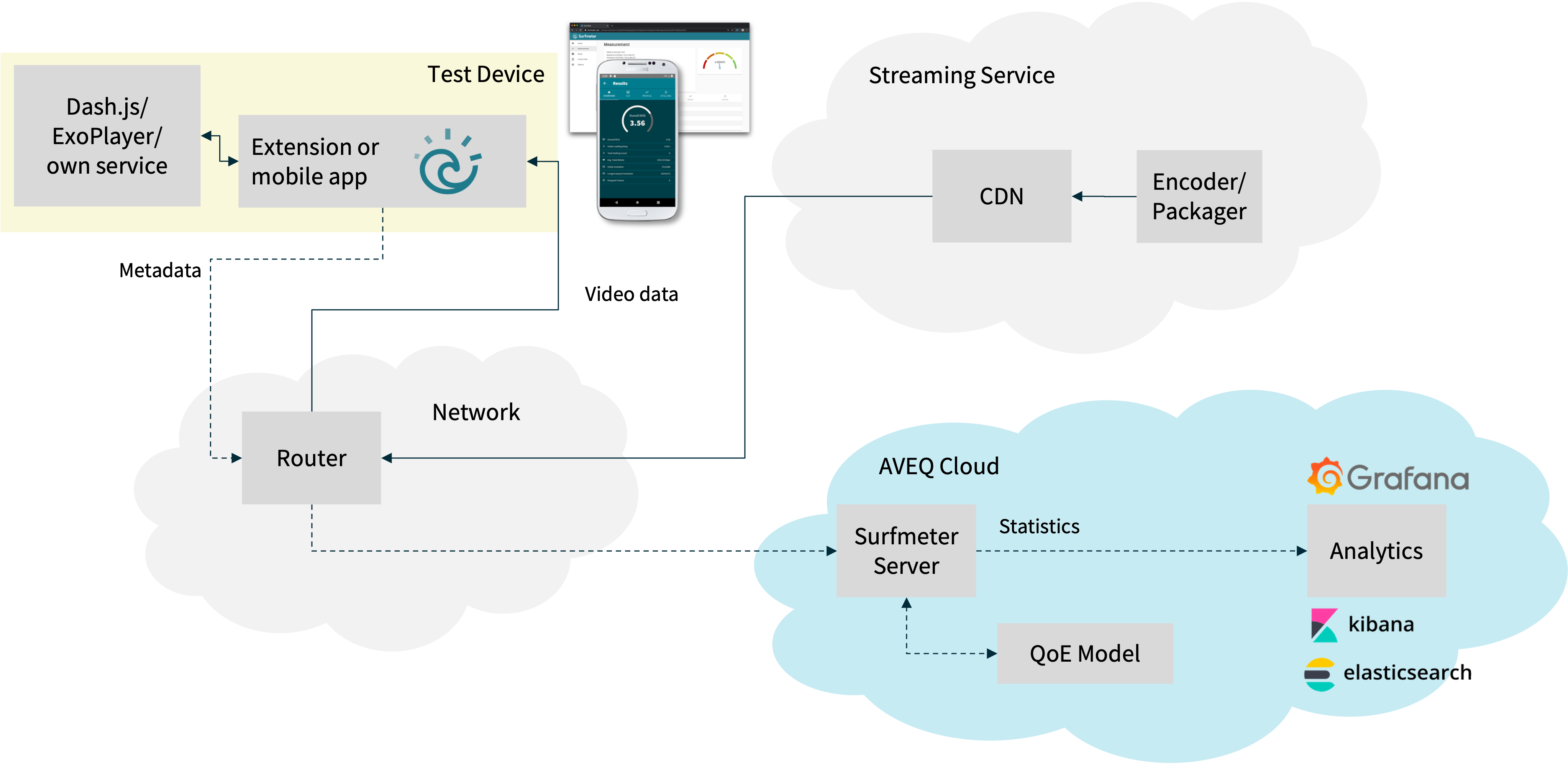
Usually these devices sit behind a regular router, which is connected to the Internet. Above we call this the network. The local network could be a real user's home, a laboratory, or a dedicated measurement location. The measured traffic passes through the local network like in a regular user's home.
Measurements usually happen based on a schedule. They can be scheduled to run automatically, or they can be triggered manually if a user starts them on the device itself. Note that active triggering from a remote location is not supported — we always assume that clients are in control of their own schedule. This allows us to even cover use cases where we cannot (or should not) access the device remotely, e.g. for privacy reasons.
The measurement data is collected on the Surfmeter-enabled device, merged with metadata about the context of the measurement (e.g., time and date, IP address, geolocation), and then sent to the AVEQ Cloud. Here, the data is stored in a database on the Surfmeter Server, and can be accessed through the Surfmeter Dashboard, the Export API, and the Surfmeter API.
QoE models enrich video measurements with quality scores. We use the standardized ITU-T P.1203 and P.1204 models, which estimate the Mean Opinion Score (MOS) of a video session from its KPIs, such as resolution, bitrate, and stalling. The QoE models run on the Surfmeter Server as well.
We also provide on-premises solutions for the Surfmeter Server and the Surfmeter Dashboard. Please contact us for more information.
If you ever need help, please reach out to us as shown on the Support page.